
Publish lookups as shareable reports
You can now turn any IntelBase lookup into a public report at a
clean
intelbase.is/r/<slug>
link. It's free and
works without an account,
run one of the daily demo lookups on the homepage, hit Publish, and
share the link anywhere.
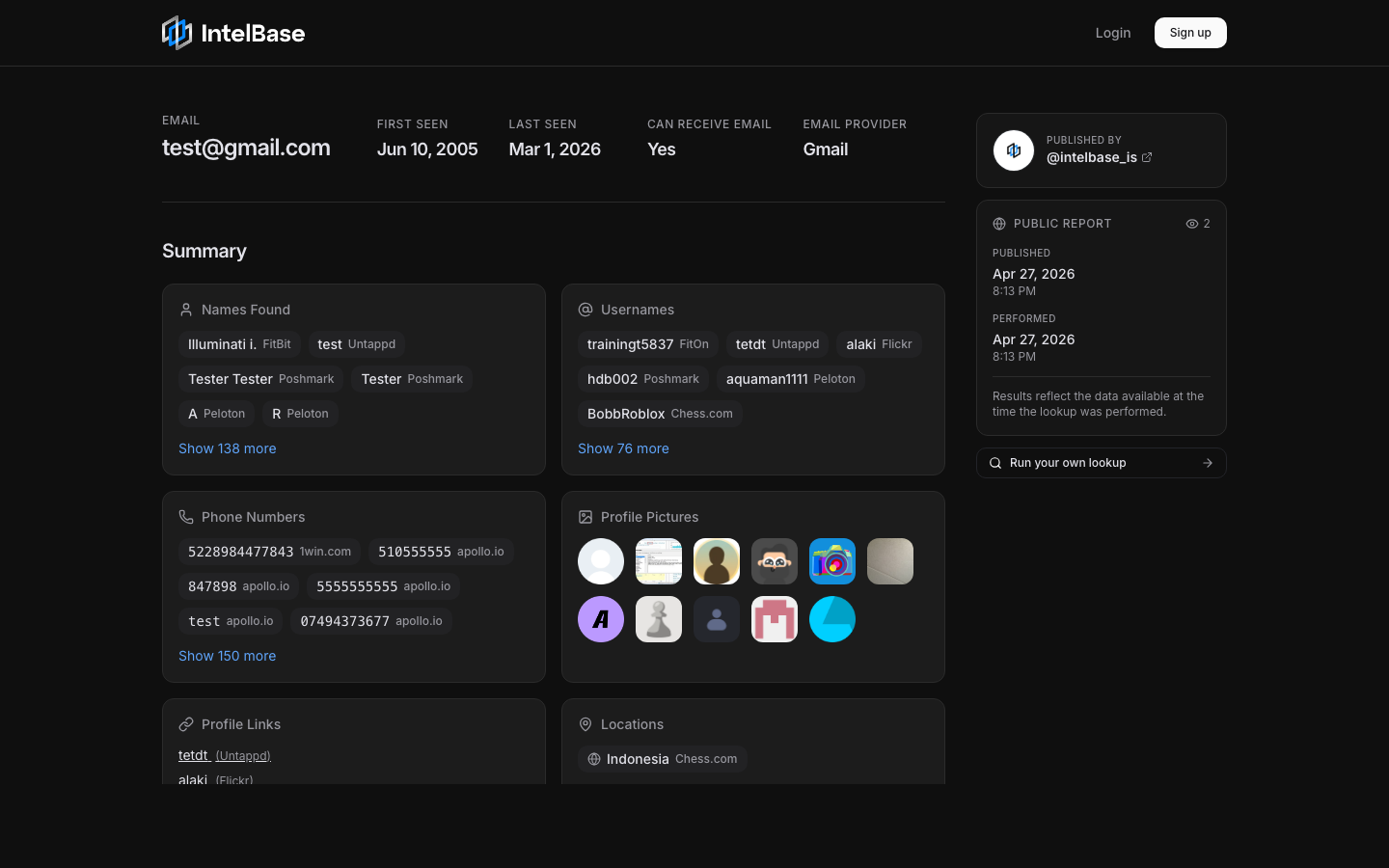
A real published report — intelbase.is/r/QG8eq12vDN1MEtg
What's included
Built for sharing intelligence cleanly
The same data you see in your dashboard, rendered as a standalone page anyone can open. You stay in control of the link.
Free, no account needed
Run a free lookup from the homepage and publish it in one click. No signup, no credit card — anyone can produce a real, shareable IntelBase report.
Shareable links
Every published report lives at intelbase.is/r/<slug>. Anyone with the link can open it — no IntelBase account required to view.
Optional credit
Attach your Twitter / X handle so viewers know who put the report together. Available on both free and dashboard publishes.
View counts
See how many times your published report has been opened, right from the report's sidebar.
All plans
Publishing is included on every IntelBase plan, including the free demo. The link keeps working even if a paid plan later expires.
Unpublish anytime
Pull the link instantly from the dashboard. Anyone who saved the URL will stop being able to view the report the moment you unpublish.
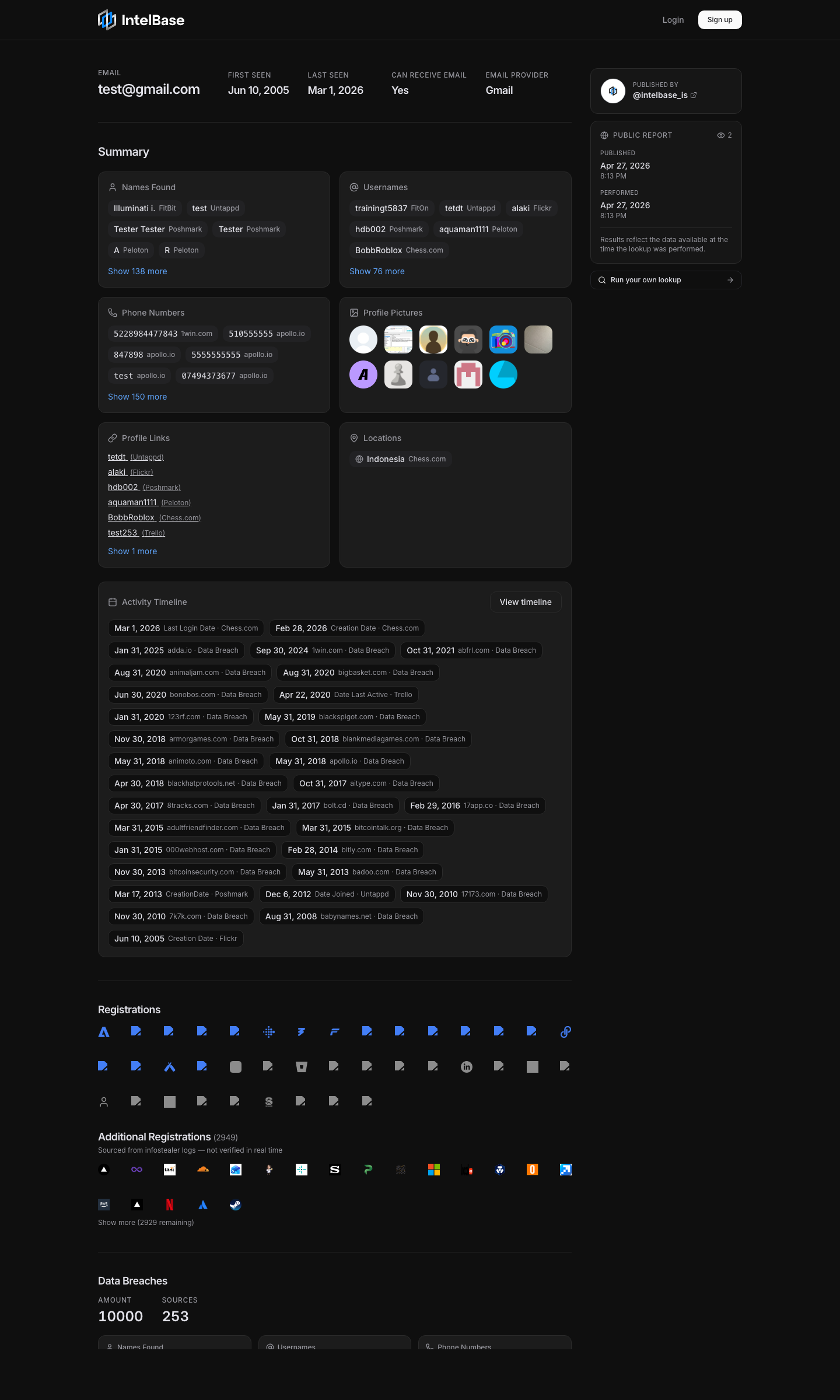
How it works
Four clicks from lookup to link
Run a lookup
Use one of your free demo searches on the homepage, or run a lookup from the dashboard if you have an account.
Hit Publish
When the search finishes, the Publish button next to the search bar lights up. Click it, confirm consent, and (optionally) credit your Twitter / X handle.
Share the link
Copy the intelbase.is/r/<slug> link from the dialog and send it anywhere — Slack, email, X, a report PDF, wherever.
Manage it later
Dashboard publishers can update the credit or unpublish at any time from the Publish dialog. Anonymous demo publishes are immutable, but their link stays live.
Published reports are public to anyone with the link. You confirm consent each time you publish, and you can unpublish a report at any moment from the same dialog — the link stops working immediately and a future republish gets a brand new slug.